MCP in enterprise projects: architecture, governance and risks of the Model Context Protocol
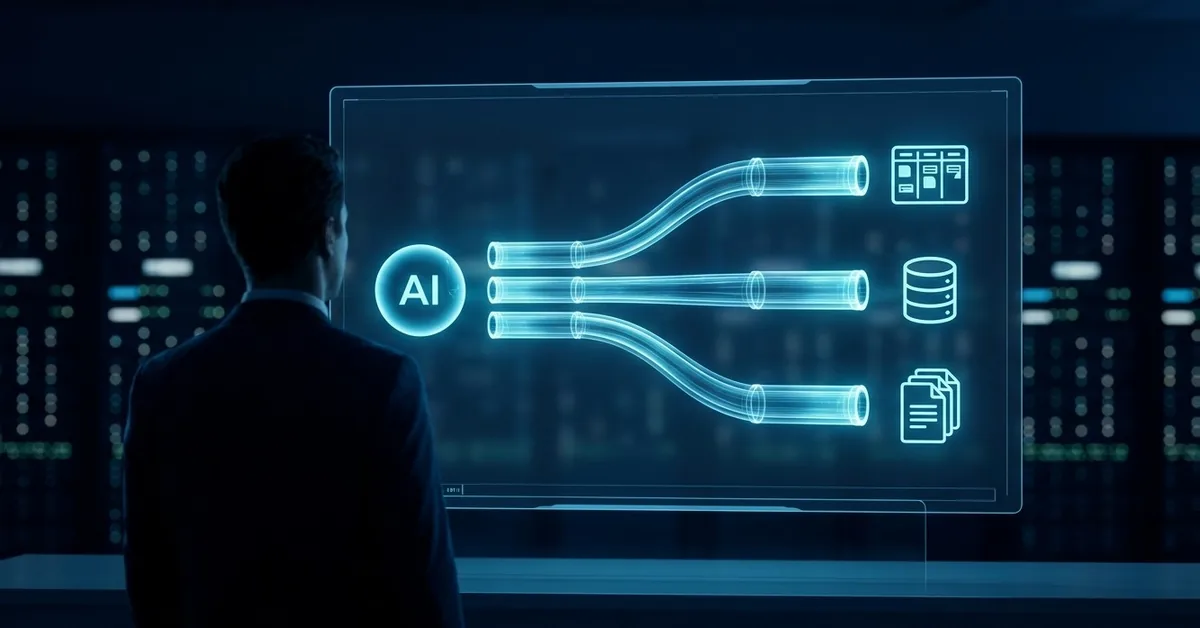
For months I have been running into the same scene in projects. Someone raises their hand and asks: “OK, we have the copilot working, but how do we connect it to Jira, the CRM and the contracts repository without it getting out of hand?”. That question is, in reality, the question of MCP in enterprise projects.
MCP, short for Model Context Protocol, is the open standard that has started to solve that problem. It was launched by Anthropic in 2024 and, in 2026, it is already the common language with which AI assistants connect to internal systems without every team having to reinvent the wheel. For a Project Manager, this changes daily work quite a bit.
In this article I tell you what MCP is, how it fits into a real enterprise architecture, what risks you have to control and what steps I take when I implement it in a PMO. Straight to the point, with examples and no marketing.
What MCP is and why it matters in 2026
MCP is an open protocol that defines how an AI model (a client) talks to servers that expose tools, data and prompts. The important thing: it is a standard, not a proprietary library. This means the same assistant can connect to Jira, an internal database or SharePoint using the same grammar.
The use of MCP in enterprise projects has soared because it solves three real pains: integrations that are rebuilt in every project, context lost between conversations and permissions that each team managed in its own way. If you have led an integration with several SaaS, you know what I mean.
From the isolated prompt to the connected assistant
Until recently, an AI assistant was a black box. You pasted a text, it returned another. If you wanted it to look at your Jira, you had to copy and paste tickets by hand. With MCP, the assistant can call a Jira MCP server, read the active tickets, cross them with risks from the register and return an executive summary.
The change is not cosmetic, it is operational. We move from asking for summaries to asking for actions. And that forces you to think about governance from minute one.
The difference with plugins, function calling and RAG
Many people confuse MCP with three things that are not the same. Plugins were closed integrations from each provider. Function calling is a capability of the model, but it does not define how a tool is published. RAG is a technique for injecting context, not a protocol.
MCP plays at another layer: it defines a contract between client and server so that any assistant (Claude, open models, custom agents) can consume any tool without custom glue. It is the closest thing to “USB for AI” that we have today.
Typical architecture of MCP in enterprise projects
When I land MCP in enterprise projects, I always draw the same diagram on the whiteboard. Three pieces: client, server and tools. It is the minimum you need to understand to make architecture decisions.
Client, server and tools
The client is the application that uses the model: Claude Desktop, an IDE with a copilot, a custom agent. The MCP server is a process that exposes a specific capability: read Jira, query the contracts database, launch a CI pipeline. The tool is each function the server publishes, with its input and output schema.
For example, an MCP server for project management can expose three tools: list_open_risks, create_ticket and mark_milestone_completed. The client decides when to invoke them according to the conversation.
How it fits with your current stack
The good news is that MCP does not force you to throw anything away. It sits on top. You put an MCP server in front of your Jira, another in front of your database, another in front of your document repository. Each one with its credentials and its permissions.
In projects where we have already integrated AI agent architectures for the PMO, MCP has replaced the custom integrations we had. Less code, more standard and much easier to audit.
Risks of using MCP in enterprise projects
This is where many PMs and CISOs get tense, and rightly so. Connecting a model to internal systems opens an attack and error surface. There are three families of risk I watch from day one.
Instruction injection and data exfiltration
An MCP server that reads emails can receive a malicious email with disguised instructions. If the model obeys them, it can end up sending data to a destination it should not. This is not theory: it happened with several pilot clients in 2025.
The mitigation is isolating contexts, validating critical actions with human confirmation and limiting what each server can do. I work on it just like risk management in IT projects with GenAI: with a matrix, an owner and a response plan.
Permissions, auditing and traceability
Each MCP server must run with the minimum necessary credential. No admin tokens “just in case”. And everything the model invokes must be logged: which tool, with what arguments, what it returned and who requested the action.
This is essential to comply with regulations like the ones I review in the IT regulations 2026 article: if you cannot audit the decision, you cannot defend it.
MCP governance in enterprise projects for PMs and CISOs
The part most neglected is governance. The first MCP server is set up, it works, and the following month there are six without anyone quite knowing what they do. My approach is to prevent this with two simple artefacts.
Catalogue of authorised servers
I keep a living catalogue of every MCP server that exists in the organisation. Per server I note: what it exposes, who the owner is, what credentials it uses, what data it touches and its criticality level. If it is not in the catalogue, it is not connected.
Approval policy and periodic review
Adding a new MCP server goes through a light committee: PM, security and functional owner. And each quarter we review the existing ones: are they still necessary? does anyone use them? has the data they touch changed? It is the same review approach I apply to the responsible AI principles.
Case study: MCP in enterprise projects applied to a PMO
The last real case I worked with: a 40-person PMO, 80 live projects and an AI assistant they already used for summaries. The next step was to connect it to Jira and the minutes repository.
We set up two MCP servers. One exposed three Jira tools: read tickets, list blockers and create risks. The other exposed just one: search minutes by project. With that, the assistant went from drafting to participating: it detected blockers by cross-referencing projects, proposed mitigations and pulled context from previous minutes.
The savings measured at two months were 6 hours per PM per week. But more important than the savings was the change in quality: the risks that used to be discovered in committee were now detected earlier. That is what I seriously call digital transformation with AI.
How to get started with MCP in enterprise projects next week
If you want to land MCP in enterprise projects without shooting yourself in the foot, the plan I recommend is short. First, choose a specific, low-risk use case: read data, do not write. Second, set up a single MCP server with that tool and give three people access. Third, measure.
In 30 days you have enough evidence to decide whether to scale or park it. And, above all, you have started the conversation with security before the problem grows. That, in my experience, is worth more than any polished technical pilot.
In this same line of enterprise AI architecture, you will be interested in the guide on secure enterprise RAG and data-leak prevention and the case study of an IT project using artificial intelligence.
MCP solves how data is connected to the model; how to select and order it so the model answers well is covered in context engineering in AI projects.
MCP, or Model Context Protocol, is an open standard that defines how an AI assistant connects with tools, data and internal systems. It works like a USB for assistants: the same model can talk to any MCP server without custom integrations.
It lets an assistant access Jira, databases, repositories or CRMs in a standardised and auditable way. In projects it serves to automate repetitive tasks, summarise cross-referenced information and detect risks earlier than without assistance.
The main ones are instruction injection through the data the model reads, exfiltration of sensitive data and the lack of traceability if each call is not audited. They are mitigated with minimum permissions, human validation on critical actions and a catalogue of authorised servers.
With a small, read-only use case. Set up an MCP server, give three people access, measure for 30 days and then decide whether to scale. This gives you evidence and a conversation with security before the scope grows out of control.
Are you taking AI from pilot to real work? Let us talk.
Book 20 minutes